Latest Release
Version 1.5
A complete redesign from the ground up, plus new features to share your life clock and organize the people you care about.
Design
- Dark-first redesign — The entire app has been rebuilt with a premium dark charcoal aesthetic and warm gold accents.
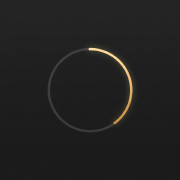
- New clock visualization — A custom-built life clock ring with 24-hour markers, animated sweep, and a glowing progress indicator.
- New typography — SF Pro for interface text paired with New York for time displays.
- Updated app icon — A fresh icon to match the new design language.
New Features
- Share your life clock — Generate beautiful shareable cards of any life clock and post them to social media or send to friends.
- Drag-and-drop reordering — Long press and drag to reorder your clocks. Your order is saved automatically.
- Stats dashboard — See age, days remaining, percentage of life lived, life expectancy, and birthdate at a glance on the detail page.
- About page — A new page with info about the app.
Initial Release
Version 1.0
The launch of Life Clock! This version includes… the whole app. Before this update, the app didn’t exist. You could say this is our biggest update so far.
What’s Included?
- Account sign up
- This will be helpful as the app becomes available on other platforms. Looking at you MacOS.
- Life clock creation & editing
- Life clock detail page
- This one is great for screenshots to share on social.
- Editing life expectancy
- You can change your default (used for all new clocks), or just change individually for each clock.
- Life clock facts
- Above your list of clocks, we’ll share a rotating list of (hopefully) encouraging facts about life clocks.